
How Habit Core works
Habit Core turns every habit into a series of periods. Each period ends on a deadline day, and a period is either done or missed. Everything in the Tracker — the grids, the numbers under them and the widget — is calculated from those periods.
Periods and deadlines
How long a period is depends on the habit’s repeat setting:
| Repeat | One period | Deadline day |
|---|---|---|
| Daily | one calendar day | that same day |
| Weekly | the 7 days ending on the chosen weekday | the chosen weekday |
| Monthly | from the day after the previous deadline to the next one | the chosen day of the month |
| Every N days (2–90) | consecutive blocks of N days, counted from the habit’s start | the last day of each block |
- A weekly habit set to Monday can be done on any day from Tuesday to Monday — it still counts for that week.
- For a monthly habit set to a day a month doesn’t have (for example the 31st), the last day of that month is the deadline.
- You check off only the current period. Checking it off again un-marks it. Past periods can’t be edited.
A single habit: Completed, Rate, Longest Streak
Each habit in the Tracker has its own grid with one tile per period — a day, a week, a month or an N-day block.
- Completed X/Y — Y is the number of periods counted so far, X is how many of them you completed.
- Rate — X divided by Y, rounded to the nearest whole percent. For example 10 of 11 = 91%.
- Longest Streak — the longest run of completed periods in a row.
Example. A daily habit started 11 days ago. You missed the first day and did the next ten. Completed is 10/11, Rate is 91%, Longest Streak is 10.
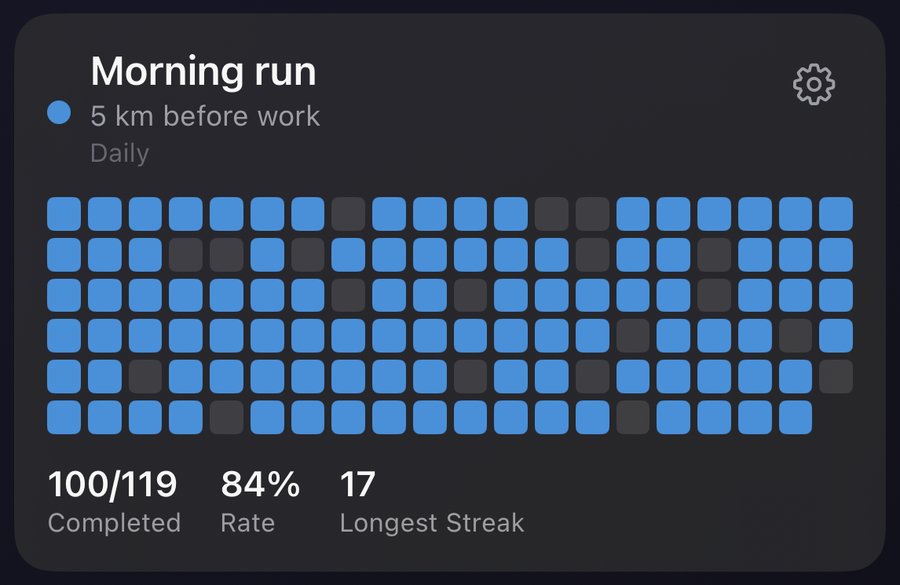
The current period
The period you’re in right now is still running, so it counts only once it’s done. An untouched morning doesn’t show up as a miss and doesn’t lower your rate. Once you check the habit off, the period is added as completed. If the period ends without a check-off, it counts as missed.
Start and end dates
- Periods before the start date (or before the day the habit was created, if no start date is set) don’t count.
- With an end date, only periods whose deadline falls on or before that date count. After the end date the habit stops counting, so its numbers stay as they were on the last day.
All Habits: Perfect Days, Rate, Longest Streak
The combined All Habits grid has one tile per calendar day, starting from the earliest start among your active habits.
- A habit counts only on its deadline day. A daily habit counts every day; a weekly, monthly or every-N-days habit counts only on the day its period ends. If you do a weekly habit due on Monday on Wednesday, it shows up on Monday.
- Tile colour — the share of habits due that day that got done. The stronger the colour, the more you completed.
- Days with nothing due count as perfect days and don’t break your streak.
- Today appears once everything due today is done.
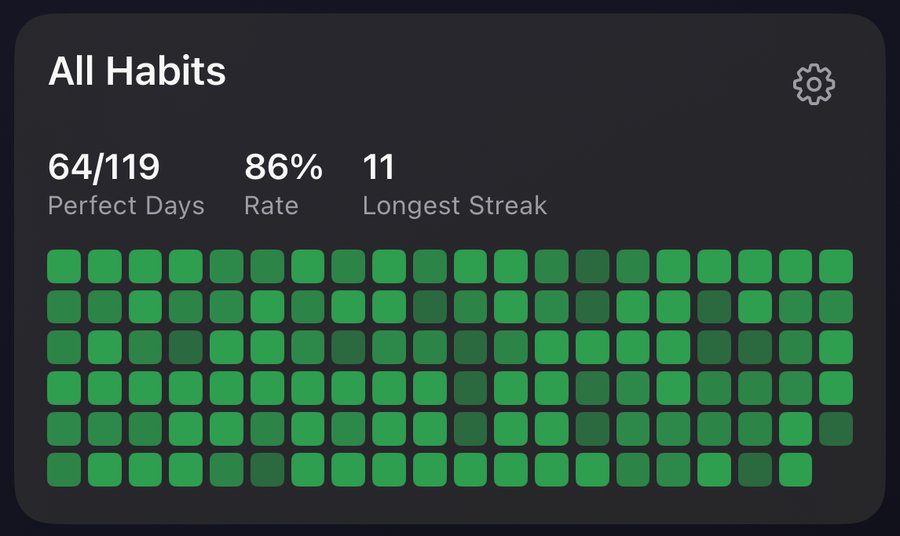
The numbers under the grid:
- Perfect Days X/Y — Y is the number of days in the grid, X is the days with no unmet habit (including days with nothing due).
- Rate — the average completion of the days when something was due. Days with nothing due are left out.
- Longest Streak — the longest run of perfect days in a row.
Example. On one day you had three habits due and did two of them. That day counts as 67% towards Rate, its tile is lighter than on a day with everything done, and it isn’t a perfect day, so it ends the current run of perfect days.
Count only recent
In Settings → Statistics you can turn on Count only recent and choose how many recent occurrences to count (1–3650, 30 by default).
- For a single habit it’s the last N periods — N days for a daily habit, N weeks for a weekly one, and so on.
- For All Habits it’s the last N days.
Older history isn’t deleted — it just isn’t counted, and turning the option off brings it back.
Archiving and resetting
- Archived habits aren’t counted anywhere, including All Habits. Restoring a habit brings back its history.
- Resetting a habit deletes its whole history and starts it again from today.
Widget
The Home Screen widget uses exactly the same rules and the same Count only recent setting, so it always shows the same numbers as the app.